Track Match: find the right inboxes for every track

Pick a track from your library and Track Match shows you the DJs and labels it fits. Then send it to them in one click.
How it works
Click the search in the top left (or press ⌘K) and choose Send with Track Match.
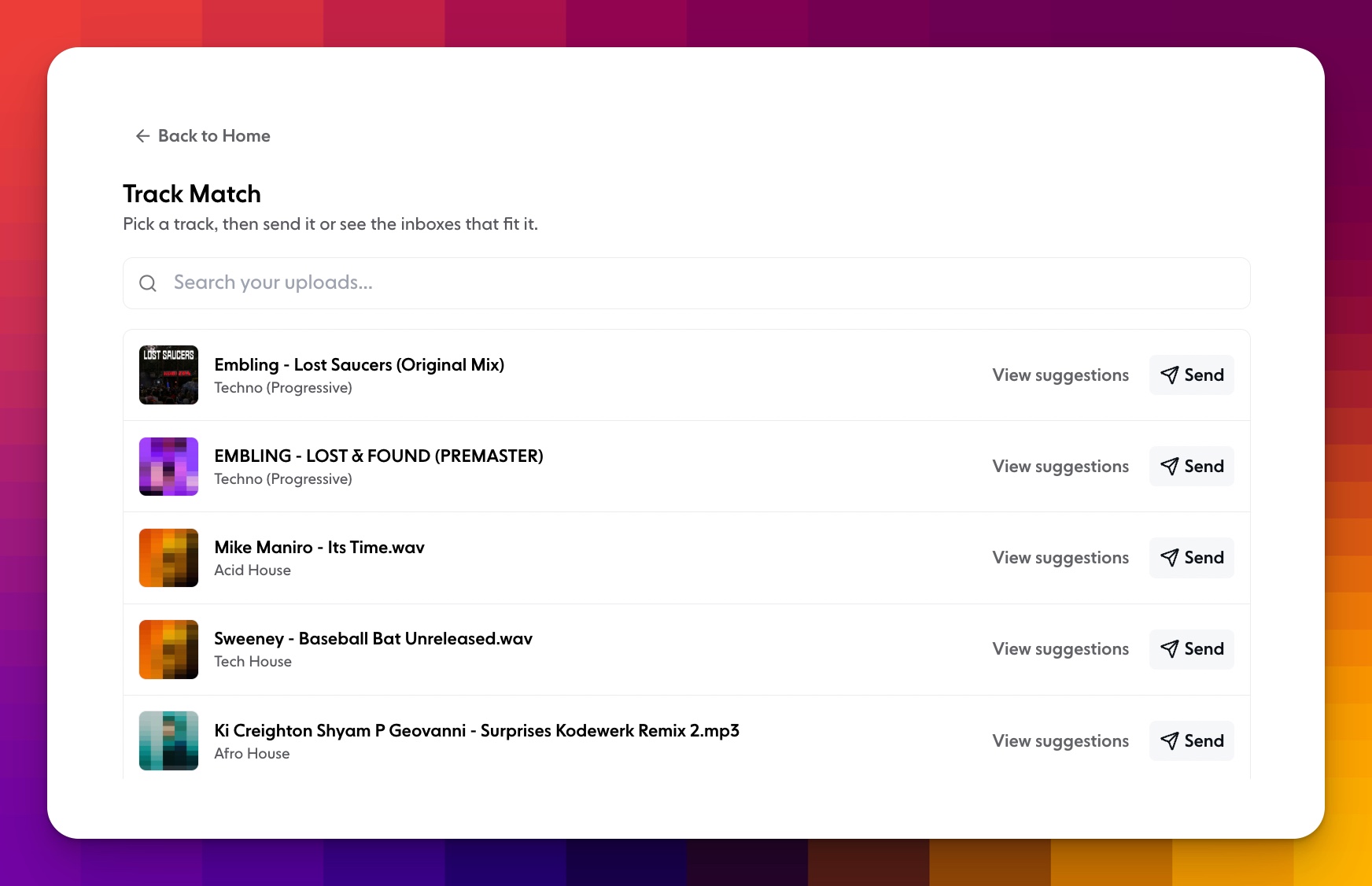
Pick a track from your uploads. Each one shows its genre, and you can search to find a specific track.
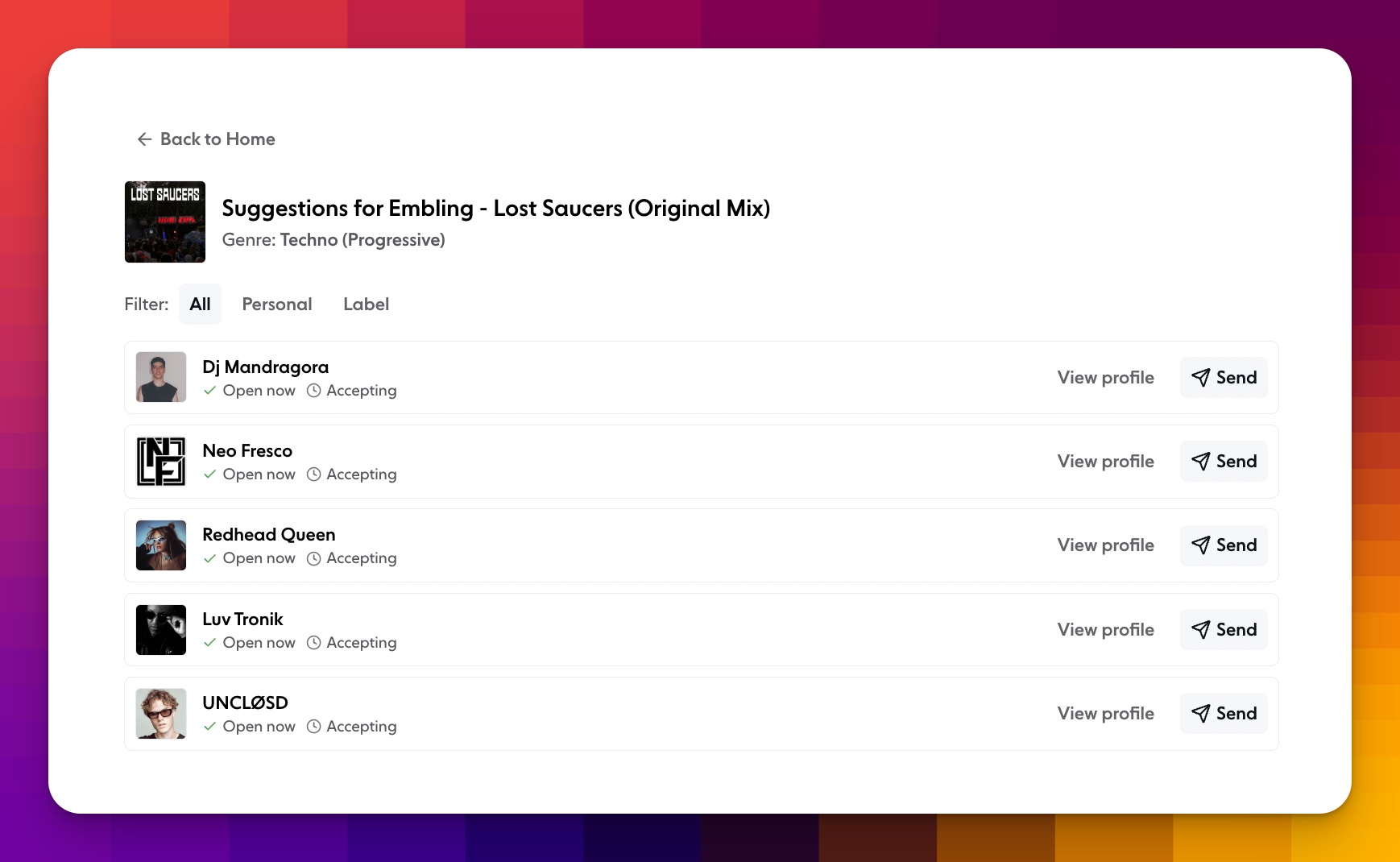
Hit View suggestions to see the inboxes that fit it. Every suggestion shows whether it's open now and accepting submissions. Filter by Personal or Label to narrow things down.
Hit Send next to anyone on the list. The composer opens with their inbox filled in, along with the genres they accept. Add your track and message, and send.
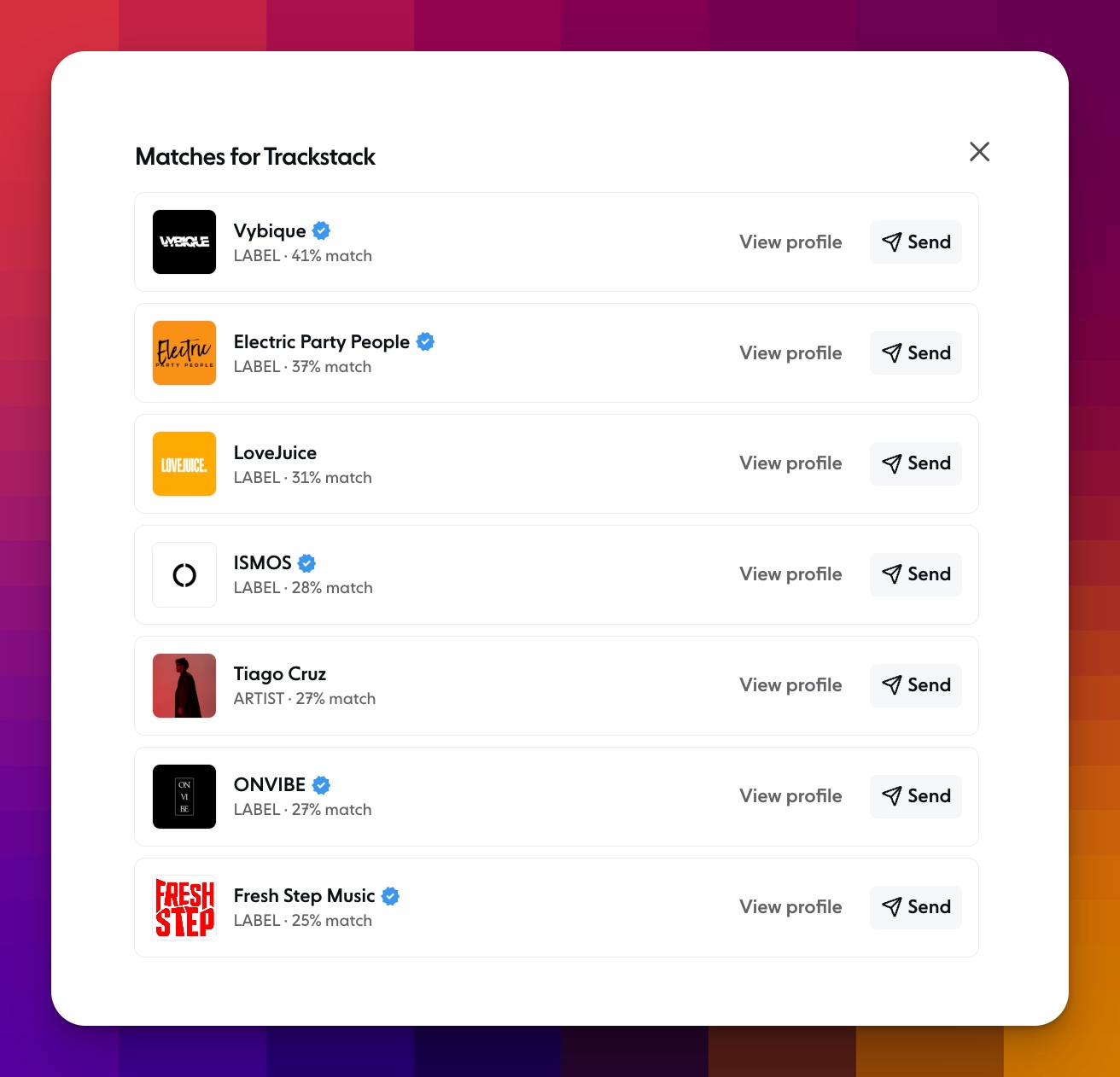
You can also get there from your profile. Click the ··· menu next to Add to list and choose Match my tracks. You'll see your best matches, each with a match percentage, so you know who's the strongest fit. Hit Send to reach out, or View profile to find out more first.
Track Match starts from your music, while Inbox Match starts from the people you already send to. Use whichever fits what you're doing.
Track Match is available now on Pro and Max plans.