Your profile link: one link for everything
Your Trackstack profile is now one link. It's your link-in-bio, your artist profile and your inbox in one place: everything you want people to see, plus a way to send you music.
Find your link
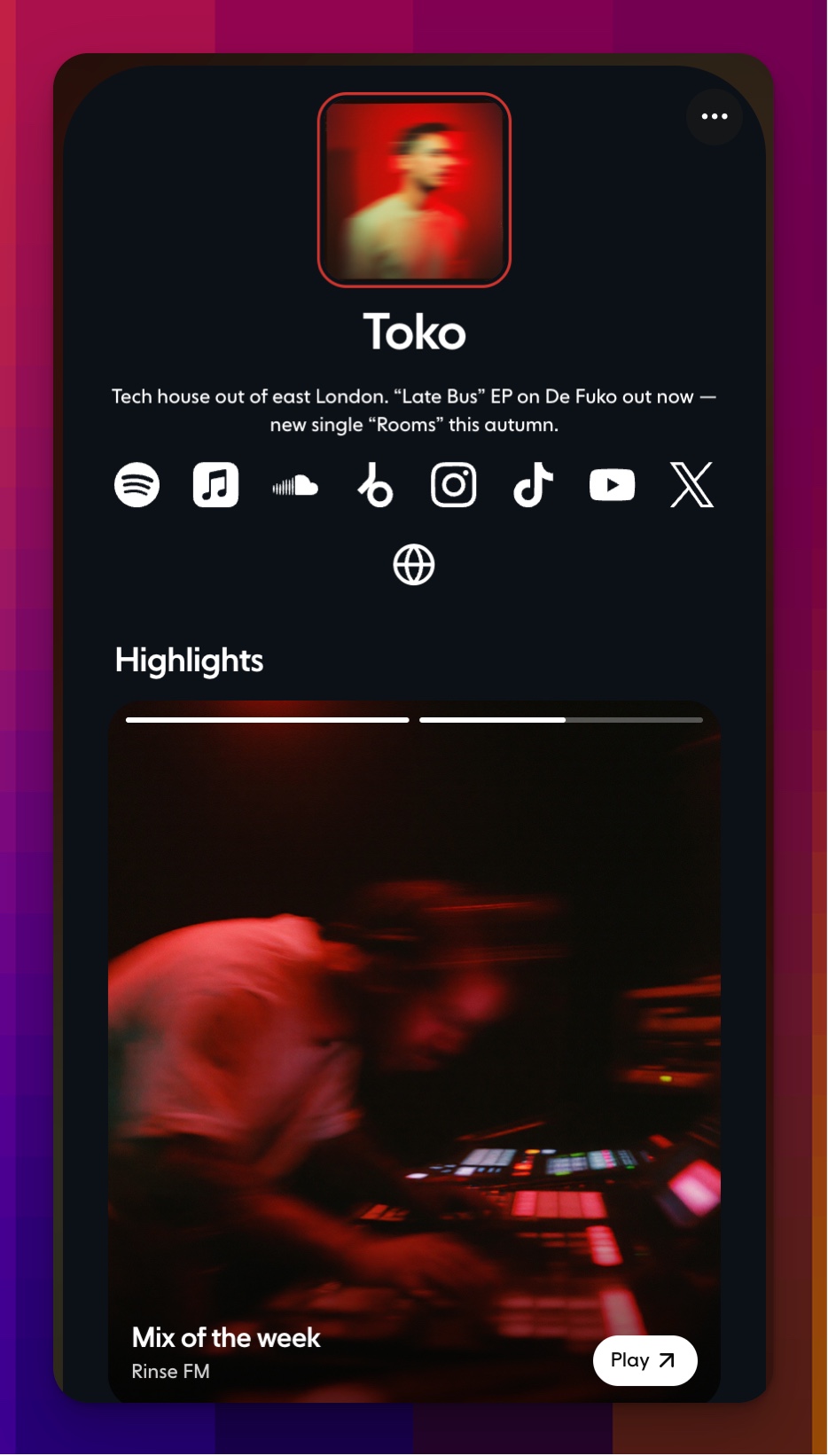
Your link sits right under your inbox name at the top of the sidebar, for example yourname.tstack.link. Click the arrow icon next to it to open your page, or the copy icon to copy the link.
What's on your page
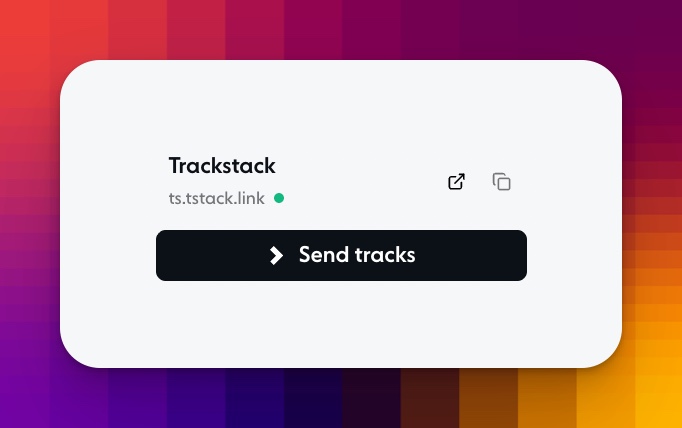
A header with your photo, in one of two styles: a framed square or a full-width photo.
Your bio, up to 240 characters.
Your links to Spotify, Apple Music, SoundCloud, YouTube, TikTok, Instagram and more. You can add up to 20.
Your music: feature a track people can play, embed a mix, or show your latest releases.
A Send tracks card that shows whether you're open, how many tracks people can send and how quickly you usually reply. People can drop a track straight onto it to send it to you.
Make it yours
To edit your page, open Profile in the sidebar, click the ··· menu next to Add to list and choose Edit profile. Everything on your page is edited there, with a live preview of your public page on the right, so you see every change as you make it.
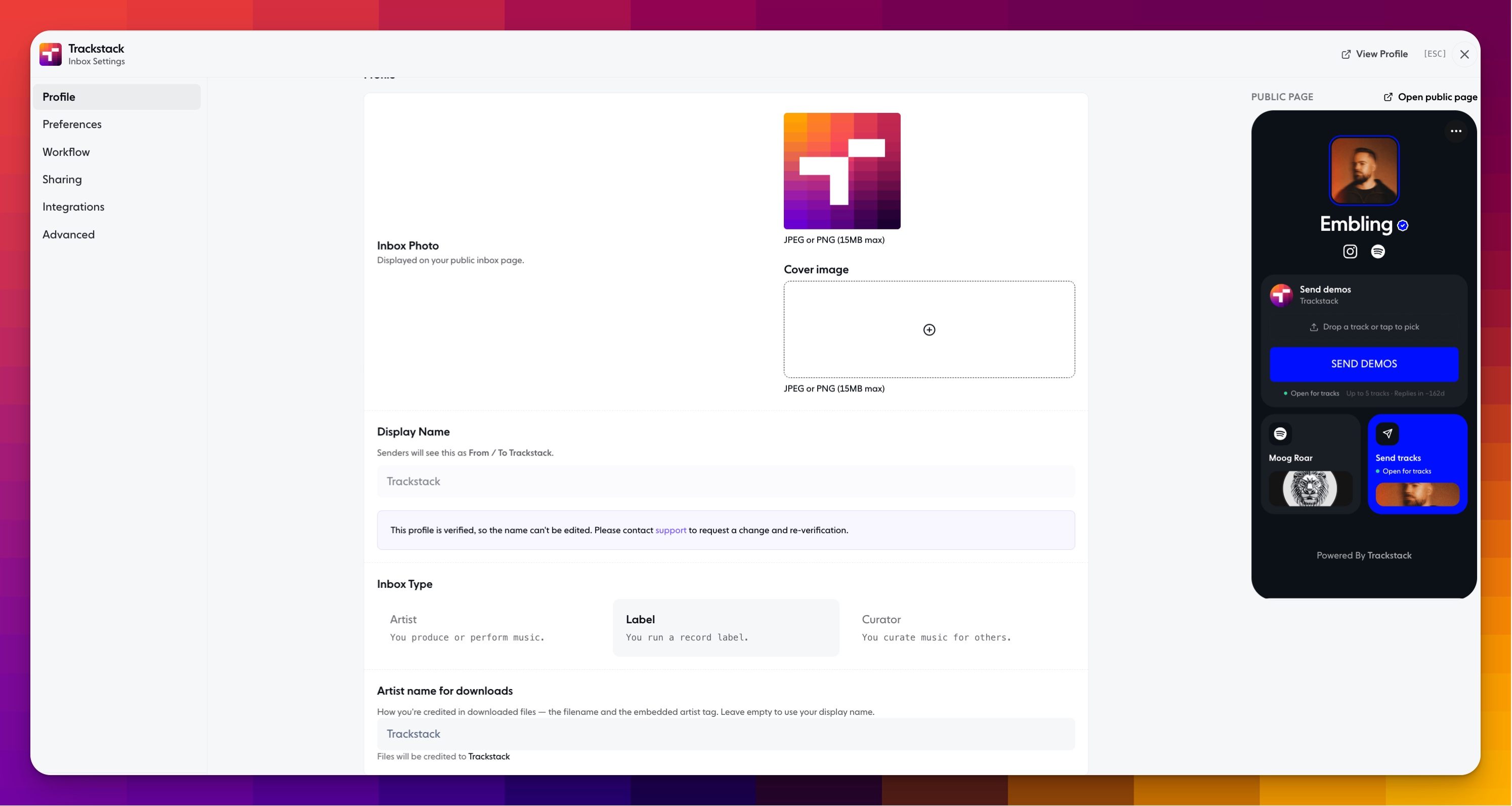
Inbox photo and cover image: upload a JPEG or PNG (up to 15MB). Add a cover image for a full-width header.
Bio: write a short intro, with bold, italics, links and lists. Use the toggle to show or hide it.
Streaming & custom links: add Beatport, Bandcamp, Tidal or any other link you want on your profile.
Website links: add your own site or any other URL.
Showcase: feature tracks on your page to give people a taste of your sound.
Click Open public page anytime to see the finished result.
Share it everywhere
Put your link in your Instagram or TikTok bio, your email signature, or anywhere people look for you. To share it from the page itself, tap the ··· menu and send it straight to Instagram, TikTok, WhatsApp or Messages, or copy it.
One link, and everyone who finds you can see your music and send you theirs.