Manage your submissions
See where every track you've sent stands, catch new engagement as it happens and learn which inboxes and tracks work best for you, using the Sent, Activity and Insights tabs.
Related: Using the Composer
Trackstack lets you follow every submission you send, see how recipients interact with your tracks and understand your overall engagement. This guide covers the Sent, Activity and Insights tabs.
Sent#
The Sent tab shows every track you've sent to other inboxes. For each one you can see:
The recipient inbox
The profile you sent from
The track's status (In Review, Shortlisted, Supporting, Declined and more)
Engagement:
Plays
Downloads
Comments
Time since you sent it
This gives you a clear overview of how each submission is progressing.
Submission status
Each sent track shows its current status, such as:
In Review: the recipient has received it but not yet responded
Shortlisted: the track is under consideration
Supporting: they're supporting the track
Release Confirmed: they've confirmed a release
Declined: the recipient passed. Many inboxes show their own wording here, such as "Not for me" or "Not for us"
Cancelled or Expired: the submission is no longer active
Some inboxes also use their own wording for Shortlisted and Supporting. Statuses help you understand where your track stands at a glance.
Filtering and sorting
Search your sent tracks, and filter them by:
Status
Contract
Type (Demo or Promo)
Track
Tick Hide cancelled to keep cancelled submissions out of the way. Sort by Newest, Oldest or Last modified, and switch between list view, table view and a view grouped by inbox.
Activity#
The Activity tab brings together every interaction recipients make on your submissions, so you can stay on top of new engagement without checking each submission one by one. You can filter by track and by type:
Play Start
Download
Commented
Commented Waveform
Shortlisted
Declined
Status Changed
Insights#
Insights show how your sends perform over time, so you can understand your reach and engagement. Use the period selector to choose the time range.
Momentum
Momentum is your return on sending: the positive interactions you receive for every track you send. For example, 2.5× means 2.5 positive interactions per track sent.
How it works
The number: your all-time positive interactions per track sent.
The trend: how your recent return per track compares with your lifetime average. Green means recent sends are landing better, red means less.
How to read it
Compounding: recent sends are returning more per track than your average
Steady: return per track is holding around your average
Diluting: recent sends are returning less per track
Quiet: no tracks sent recently
The more tracks you send that land, the more your returns compound.
Network quality
Network quality shows how broadly your positive interactions are spread across recipients. A higher score means your engagement comes from more unique inboxes rather than a few.
More charts
Insights also shows your positive interactions for the period, a monthly engagement chart (positive interactions, submissions, plays, downloads, supports and shortlists) and a return on sending curve.
Top inboxes and top tracks#
Insights also shows your top-performing connections and tracks.
Top inboxes
See which inboxes have interacted with your submissions the most. Filter by type (artists, labels or curators) and rank by total interactions, plays, downloads, supports, shortlists or download conversion rate. Useful for spotting:
Supportive tastemakers
Strong potential collaborators
Labels consistently engaging with your work
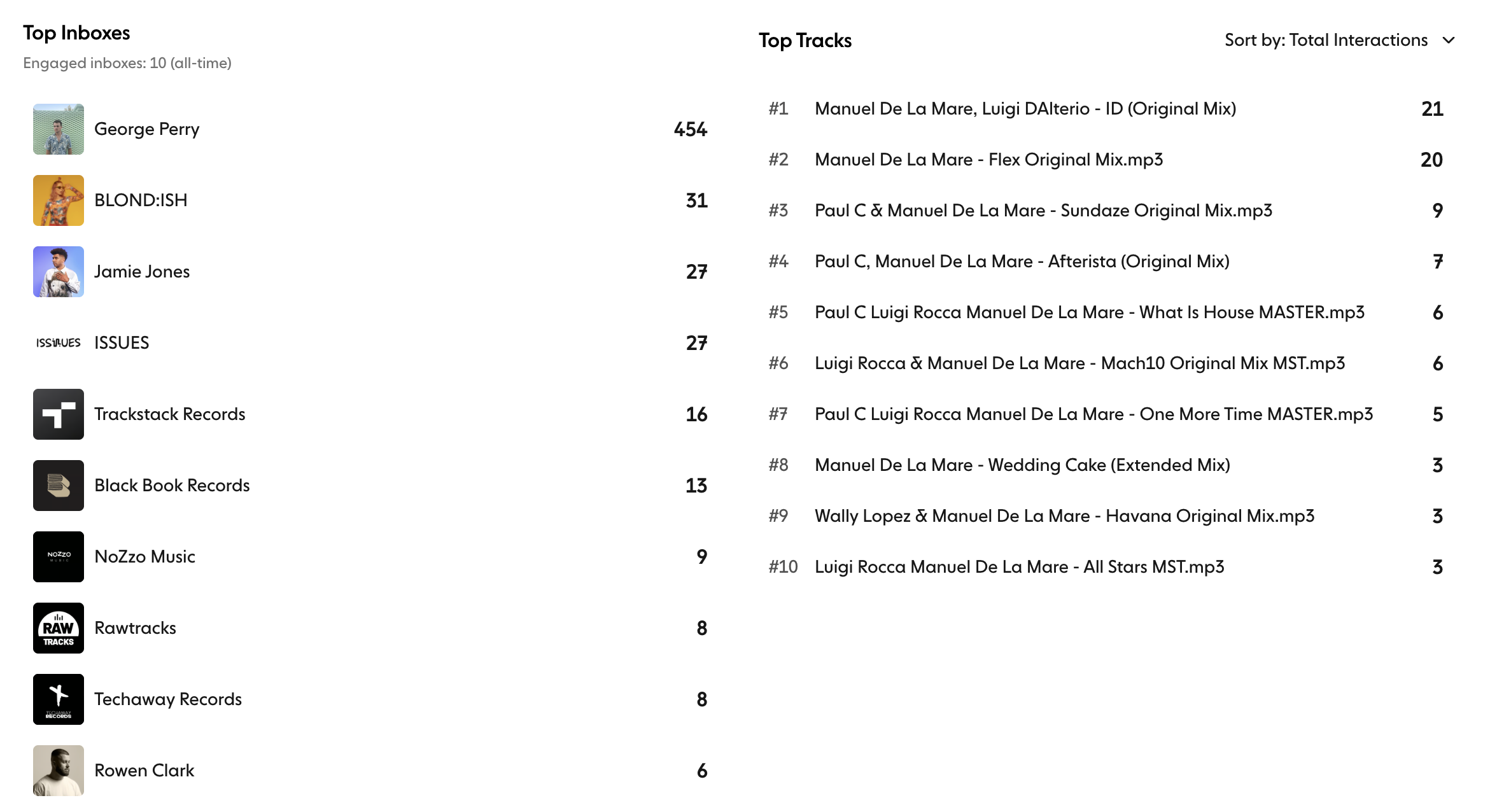
Top tracks
Your tracks are ranked by total interactions by default, and you can also rank them by plays, downloads, supports, shortlists, download conversion rate or performance score. This helps you:
Understand which tracks resonate
Inform your release decisions
Prioritise follow-ups or pitching opportunities
Summary#
Managing your submissions on Trackstack shows you:
Who you've sent music to
How each submission is performing
Which inboxes engage with you most
How your music resonates across your network
Trends over time
Together, the Sent, Activity and Insights tabs help you track your progress and strengthen your professional relationships.