Preferences and visibility
Control what music you receive, who can find and reach your inbox, when it's open and how much each sender can submit.
Related: Customising your workflow
Your inbox preferences keep you in control of incoming music. They tell other users what you're looking for and when you're open for tracks, so you get a more intentional, manageable and high quality submission experience.
Most of these settings live in Inbox settings under Preferences. Directory visibility and password protection live under Sharing, in Access & Visibility.
Accepted content#
Genres
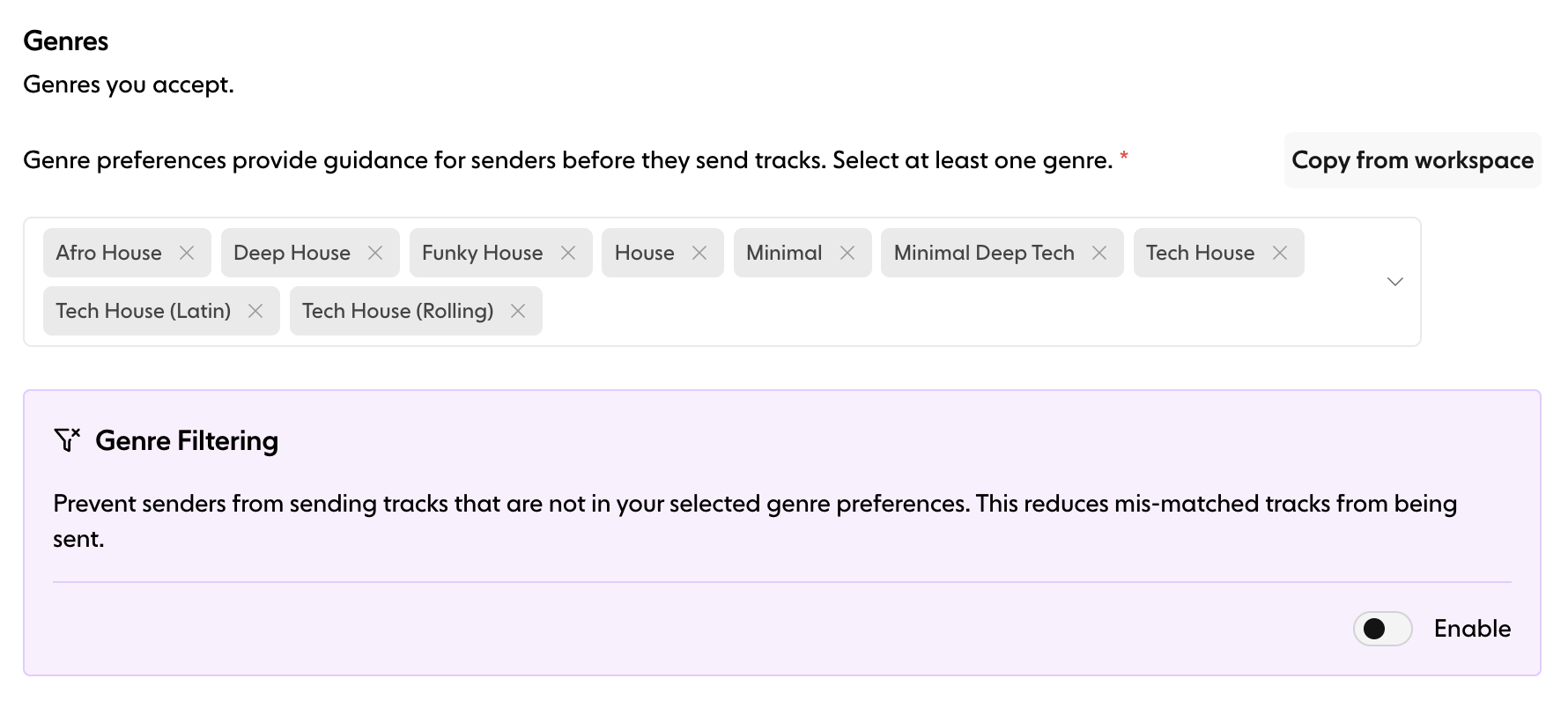
Choose which genres you want to receive. This guides artists before they submit, so the music you get matches your preferences. You must select at least one genre, or use Copy from workspace to start from your workspace genres.
Genre filtering
Turn on Genre Filtering to only allow submissions that match your selected genres. Senders can then only submit tracks in the genres you've chosen, which cuts down mismatched submissions and keeps what you receive relevant. When it's off, your inbox accepts submissions from any genre.
Access and visibility#
Password-protected inbox
Restrict access to your inbox with a password. When it's on, only people with the password can submit tracks. Type a password first, then switch on Enable Password. Passwords can't contain spaces.
Use this when you want to:
Run private submission periods
Limit access to specific artists
Control who can reach your inbox
Create a VIP inbox for close friends and contacts
Visibility options
Control whether artists can find your inbox with the Show inbox in directory switch.
Private: only reachable via your direct link. Your inbox is hidden from search and the directory.
Public: discoverable in Trackstack search and the directory. Recommended for DJs and labels who want broader visibility.
Listing in the directory is available on paid plans. If your inbox is listed but paused, it shows as hidden until you unpause it.
Pause inbox
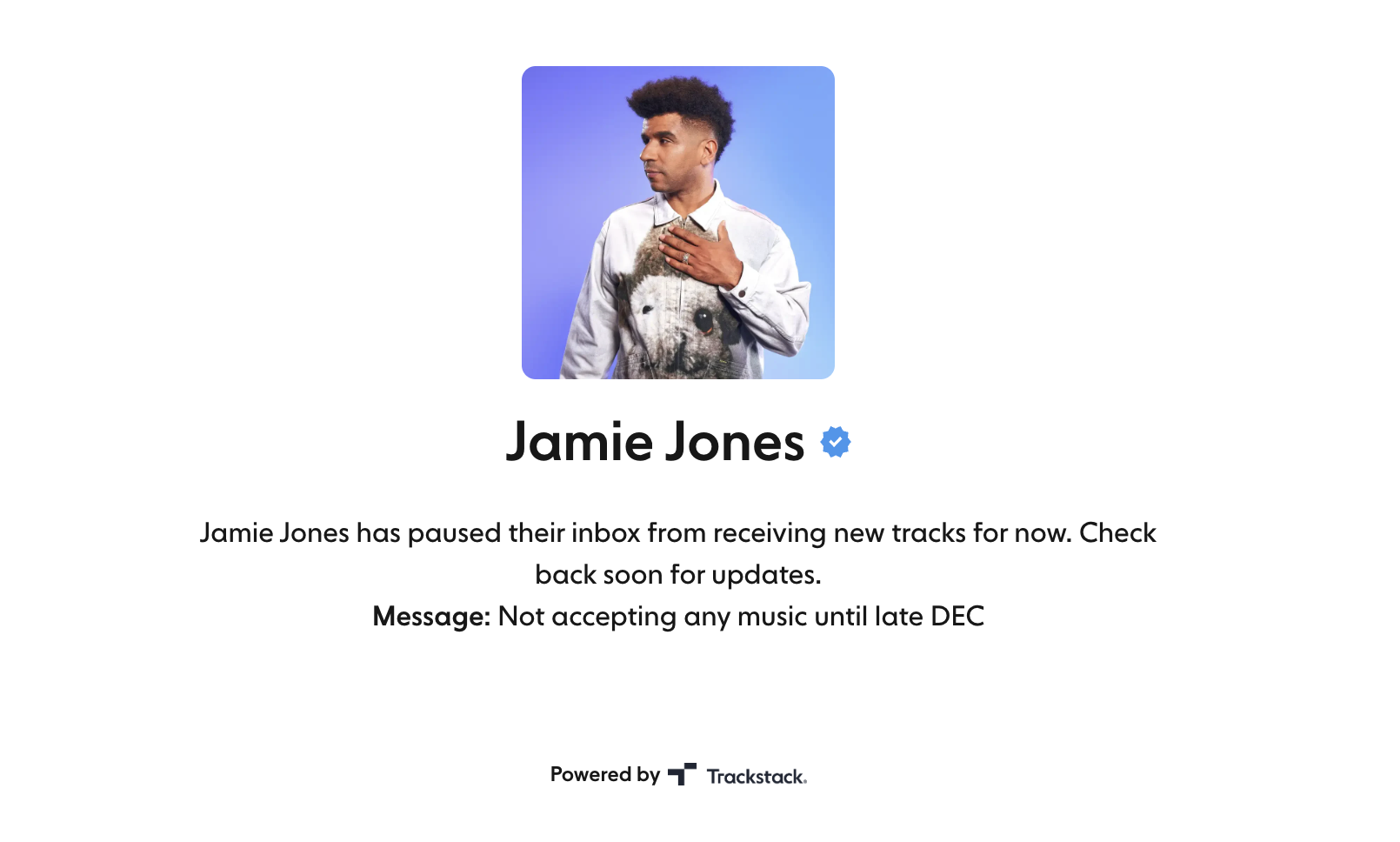
Temporarily stop accepting new submissions. When paused:
Artists can't send new tracks
Your inbox is hidden from Discover
A custom pause message (up to 250 characters) is shown on your public page
Useful when you're:
Reviewing a backlog
Closing A&R windows
Taking time off
Preparing for a specific campaign or release
Availability#
Opening times
Opening Times let you choose when your inbox accepts new submissions, turning it from a 24/7 firehose into a controlled, strategic tool.
You can:
Turn Opening Times on or off
Choose specific days (e.g. Mon, Wed, Fri)
Set start and end times
Choose your timezone
Set the recurrence (weekly, biweekly, monthly or custom)
This is perfect for:
Labels running "demo drop days"
DJs opening submissions before weekend gigs
Anyone who wants predictable submission windows
If Opening Times are off, your inbox is always open.
Requirements and limits#
Required fields
Choose which details senders must provide before they can submit:
Instagram username, so we can pull their follower count and engagement stats
Spotify artist ID, so we can pull their monthly listeners and streaming stats
Required fields help you cut down incomplete submissions and give you context on every sender.
Monthly submission limit
Limit how many submissions one sender can send you per month, from 1 to 10, or choose no limit. Each submission can contain up to the number of tracks you set in Tracks per Submission (1 to 5).
For example, if you set a limit of 4 submissions per month with 5 tracks per submission, a sender can send you up to 20 tracks a month (4 × 5).
This helps you manage volume and prevent spam while keeping your inbox focused.
Summary#
Preferences and visibility settings give you control over:
What content you receive
Who can find and access your inbox
When your inbox is open
How much artists can submit
What information you collect from senders
Together they help you create a submission experience that fits your workflow, improves submission quality and supports better professional relationships.